AI Readiness Score for Shopify Product Feeds: What It Measures, Where a Real Feed Lands, and How to Fix It

Channable announced in October that it had scored 9,689 merchants’ product feeds for “AI readiness” and found that 77% scored below 60 out of 100, with fewer than 1% reaching 80. Their audit is available to Channable customers. That leaves most Shopify merchants with a new worry and no way to check it.
This article does three things. It explains what an AI readiness score for a product feed actually measures, which is not what most “Shopify AI readiness” tools check. It walks through a real audit of a 3,500-variant Shopify catalog so you can see where a well-maintained feed lands and why. And it shows how to run the same audit on your own feed, for free, and fix each gap, including the attributes most feed tools cannot fill at all.
Two different things are called “AI readiness”
Search for “Shopify AI readiness score” and you’ll find a dozen checkers. Almost all of them score your storefront: whether your product pages carry JSON-LD, whether your robots.txt lets AI crawlers in, whether you’ve published an llms.txt file. Shopify has one of its own. These matter for agents that browse your website.
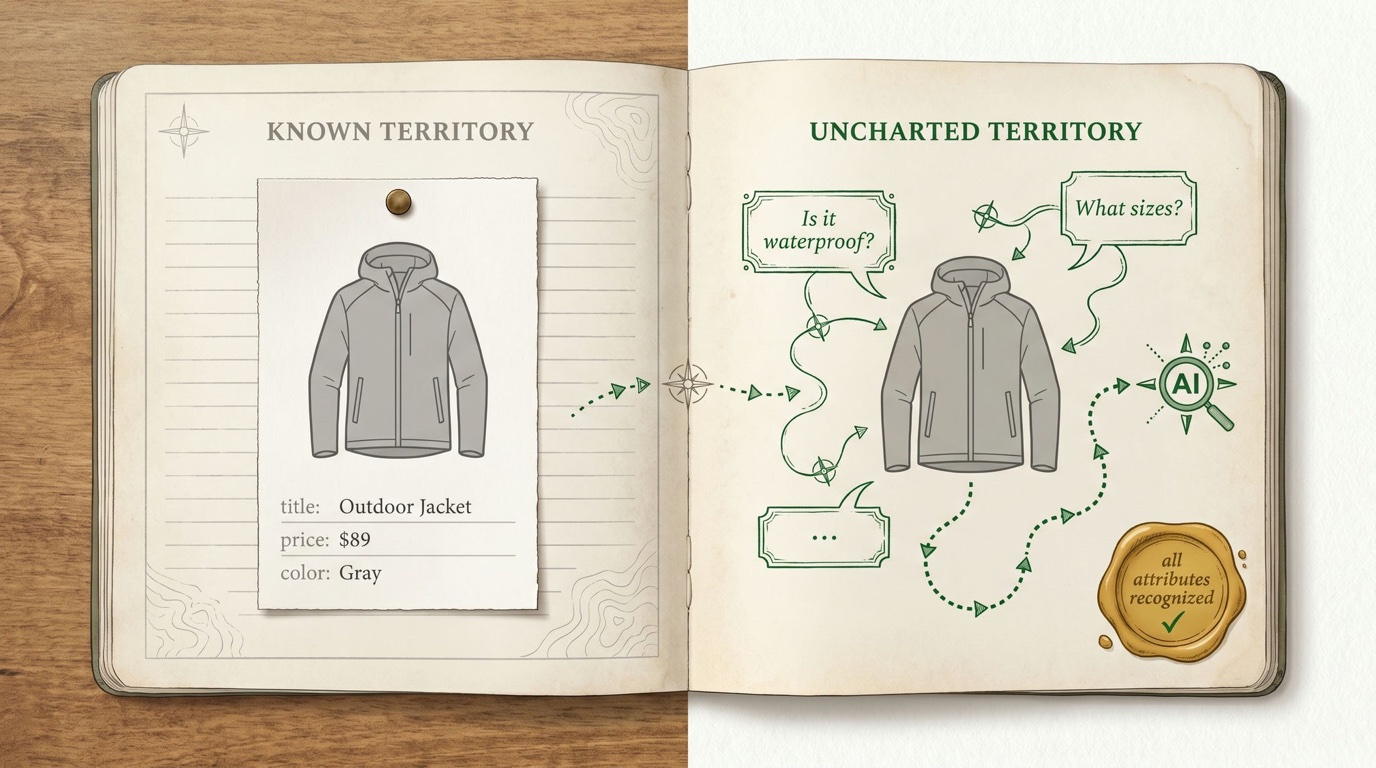
Channable’s score, and the one that matters for Google’s AI shopping surfaces, is about your product feed: the structured data you send to Merchant Center. AI Mode in Search and Google’s shopping agents answer questions from that data, not from your page markup. A storefront can be perfectly crawlable while its feed says nothing an AI can use to recommend the product.
So when a feed-level score says 77% of merchants are unready, it isn’t saying their websites are broken. It’s saying their feeds carry the same handful of fields they carried in 2020.
What a feed-level AI readiness score measures
Channable’s help center lists the attributes its score checks, in two groups. The exact weighting isn’t published, but the attribute list is, and it maps directly onto Google’s own documentation.
Eight feed attributes that AI surfaces read for understanding:
| Attribute | What an AI uses it for |
|---|---|
title | the product’s name and primary identity |
description | the facts an answer can be built from |
product_type | your own category vocabulary |
product_detail | structured name:value specs (material, capacity, fit) |
product_highlight | short bullet claims about why this product |
lifestyle_image_link | the product in context, not on white |
additional_image_link | more angles and details |
sale_price | whether there’s a deal to mention |
Six conversational attributes, the fields Google added in 2026 specifically for “AI-driven surfaces, like AI Mode in Search”:
| Attribute | What it carries |
|---|---|
question_and_answer | FAQ pairs about the product |
document_link | manuals, spec sheets, size guides |
related_product | typed links to accessories and parts |
item_group_title | the product family name, distinct from the variant title |
variant_option | structured variant properties (color:navy, size:M) |
popularity_rank | how this product sells relative to your others |
Google calls the six “completely optional.” That is true for approval. It is not true for being recommended. When an AI assistant is asked “which of these is waterproof?”, a feed with question_and_answer answers; a feed without it is guessing from the description, or skipping the product.
The score bands are 0 to 59 low, 60 to 79 medium, 80 to 100 high. Under 60 means key attributes are missing or inconsistent; 80 and above means the data is complete and structured enough for an agent to understand and recommend the product.
A real audit: a 3,500-variant Shopify catalog
Abstract lists don’t tell you where you stand. So we ran the same fourteen-attribute audit over a real Simple Product Feeds customer catalog: 3,538 variants, home goods, a feed that has been actively maintained for two years with rules, a corrected Google category on every product, and fixed links and images. By any ordinary measure, a good feed.
Here is what it carries, attribute by attribute:
| Attribute | Filled |
|---|---|
title | 100% |
description | 97% |
product_type | 100% |
additional_image_link | 100% |
product_detail | 0% |
product_highlight | 0% |
lifestyle_image_link | 0% |
sale_price | 0% |
| all six conversational attributes | 0% |
Four of fourteen. Every one of the attributes an AI would lean on to recommend rather than merely list the product is empty. Nothing is wrong with this feed by 2024 standards; it would pass any disapproval check. It is simply built for keyword matching, and the surfaces that matter now don’t match keywords.
Two further things the audit turned up, both common:
- 698 of 3,538 titles are under 30 characters. A title like “Brass Wall Sconce” gives an AI nothing to distinguish it from the forty other wall sconces in the catalog.
- The GTIN column is empty on every row, because the Shopify barcode field was never filled. Google’s AI surfaces use the GTIN to connect your listing to everything else known about that product.
We ran the same audit on our own test store: 634 variants, also four of fourteen, with the same six zeros on the conversational attributes. The pattern is the catalog’s structure, not any one merchant’s neglect. The six new fields don’t exist in Shopify’s product model, so no amount of diligence in Shopify admin produces them.
Why most feed tools stop at eight
This is the part the 77% statistic hides. The eight feed attributes are all things a rules engine can produce: map product_type from a collection, build product_detail from metafields, set sale_price from compare-at price. Any decent feed tool, including ours, can get a catalog from four of fourteen to eight of fourteen with rules and mappings.
The six conversational attributes are different in kind. Four of them are derivable: item_group_title from the product title, variant_option from Shopify’s option names, related_product from a collection or a metafield, popularity_rank from order history. But question_and_answer has to be written: a rule can transform a value that exists, and the answer to “is this sconce rated for a bathroom?” does not exist in any column. It has to be synthesized from the description, the specs, the sibling variants, and the category, product by product. We documented what that takes when we did it for the first time: a language model, grounded in the product’s own data, generating pairs once per product and caching them.
That is why the top of the score is empty for almost everyone. Reaching 80 requires producing data that the catalog does not contain, and most tools’ architecture ends at transforming data that does.
Run the audit on your own feed
You don’t need a Channable plan to know your score. If your feed runs through Simple Product Feeds, connect an AI agent and ask it. The agent connection is one click on claude.ai and an API key anywhere else, and it works read-only until you say otherwise.
Ask:
“Audit my Google feed for AI readiness: for each of the fourteen attributes Google’s AI surfaces use (title, description, product_type, product_detail, product_highlight, lifestyle_image_link, additional_image_link, sale_price, and the six conversational attributes), tell me what percentage of shipped products carry it, and list the ten shortest titles.”
The agent reads your live feed through the same tools we used for the audit above, spf_products for the catalog and spf_product for any one product across every feed, and hands back the table. For a 3,500-variant feed that takes about as long as it took to read this section. If you’d rather see the raw rows, the audit guide covers what a full feed audit includes.
If you don’t use us, the manual route still works: download your Merchant Center feed file, open it, and count the columns. Any attribute from the two tables above that isn’t a column, or is a column that’s mostly blank, is a point off.
Fix each gap, in order of effort
The order below is cheapest first. A catalog like the one above goes from four to ten of fourteen in an afternoon.
1. item_group_title and variant_option (minutes). Both are deterministic from Shopify data. item_group_title is the product title with the variant suffix removed; variant_option is your option names and values. Ask the agent: “Map item_group_title to the product title and variant_option to the option name:value pairs on my Google feed.” It previews the mapping and applies it on approval.
2. product_detail and product_highlight from metafields (an hour). If your specs live in metafields, pull them into the feed as source columns and map them. If they don’t, this is where you decide which five facts per product are worth capturing, because every surface downstream, AI or not, benefits.
3. sale_price and lifestyle_image_link (an hour). sale_price maps from compare-at price with one rule. Lifestyle images usually exist in your media library already; they need to be the second or third image on the product so a rule can pick them up.
4. Titles under 30 characters (an afternoon). A rule can append the product type and a key attribute: “For every title under 30 characters, set title to title plus the product_type plus the primary option value.” Preview it, read twenty results, approve. The 698 short titles above become 698 titles an AI can distinguish.
5. GTINs (depends on your suppliers). No tool can invent a GTIN. If your products have barcodes, enter them in Shopify; the feed picks them up on the next sync.
6. question_and_answer, related_product, popularity_rank (the top of the score). These need generation, not mapping. The field report covers the format Google accepts, the supplemental-feed setup, and the cost (roughly one to five dollars per thousand products, once). Doing it well is the current frontier of feed work, and it is where the merchants who reach 80 will separate from the 77%.
Every one of these writes goes through the same feed your merchant dashboard shows. A change the agent makes appears on the feed’s Rules tab or in the product’s row, previewed before it applies and recorded in the shop’s audit trail, so there’s no hidden layer and nothing to re-learn if you later work in the dashboard instead.
One more date, since it’s in the same breath
Google’s own image specification now states that product images must be at least 500 by 500 pixels beginning January 31, 2027. Images below that will be disapproved. It isn’t an AI-readiness attribute, but it’s the same muscle: ask the agent “which of my products have a main image under 500 pixels?” and fix the list before the date, rather than after.
The honest summary
The 77% number is real, and the reason behind it is structural, not careless: feeds are built for a keyword-matching world, and Google’s AI surfaces read fields most catalogs have never carried. A good 2024 feed scores low in 2026 without anything having changed on the merchant’s side.
The fix is also mostly structural. Eight of the fourteen attributes come from mapping and rules you can apply this week. Four more come from derivations. The last two require generating text and ranks per product, and that is where a connected agent earns its place: not because scoring is hard, but because filling the score is thousands of small, product-specific decisions that no one should make by hand.
Start with the audit. It is one question to ask, and the answer tells you exactly which of the six steps above are yours.
Ready to simplify your product feeds?
Simple Product Feeds connects your Shopify store to Google Shopping, Meta, and more — in minutes.
Install Simple Product FeedsFrequently Asked Questions
- What is an AI readiness score for a product feed?
- A measure of whether your Merchant Center feed carries the attributes Google's AI shopping surfaces (AI Mode in Search and shopping agents) read to understand and recommend a product: eight feed attributes (title, description, product_type, product_detail, product_highlight, lifestyle_image_link, additional_image_link, sale_price) and Google's six conversational attributes (question_and_answer, document_link, related_product, item_group_title, variant_option, popularity_rank). Scores under 60 are low, 60 to 79 medium, 80 and above high.
- Is a Shopify AI readiness score the same as a product feed AI readiness score?
- No. Most Shopify 'AI readiness' checkers score your storefront: JSON-LD markup, robots.txt access for AI crawlers, llms.txt. A feed-level score is about the structured product data you send to Merchant Center, which is what Google's AI shopping surfaces actually read. A store can pass the storefront checks and still have a feed that carries almost none of the attributes an AI needs.
- Why do 77% of merchants score below 60?
- Because feeds were built for keyword matching. In a real audit of a well-maintained 3,538-variant Shopify catalog, only 4 of the 14 scored attributes were filled; all six conversational attributes were empty. The six new fields do not exist in Shopify's product model, so no amount of work in Shopify admin produces them. They have to be mapped, derived, or generated in the feed layer.
- How do I check my own feed's AI readiness without a Channable plan?
- Connect an AI agent to your Simple Product Feeds account (one click on claude.ai, an API key elsewhere) and ask it to report what percentage of shipped products carry each of the 14 attributes; it reads the live feed through the spf_products and spf_product tools. Without the app, download your Merchant Center feed file and count which of the 14 attributes are columns and how full each one is.
- Which attributes can be fixed with rules and which need generation?
- Eight feed attributes plus item_group_title and variant_option come from mappings and rules (compare-at price to sale_price, metafields to product_detail, option names to variant_option). related_product and popularity_rank are derivable from collections and order data. question_and_answer has to be written per product from its own data, which is why it is the attribute that separates feeds scoring 80 and above from everyone else.
Related Articles
Google Conversational Attributes Explained: The 6 New Merchant Center Fields (and How to Fill Them)
What Google's conversational attributes are, what each of the six fields carries, how to submit them via a supplemental feed, and what it costs to generate question_and_answer at scale. From a real upload, with the gotchas.

How to Audit Your Shopify Product Feed With an AI Agent
Manual feed-audit checklists don't get run, and free checkers don't know your feed. Here's how to audit your Shopify product feed by asking an AI agent — grounded in your live data, ranked by impact, and ready to fix.

AI Max Comes to Standard Shopping: The Feed Attributes That Decide Your Results
AI Max rolled out to Standard Shopping on July 24. Google says it treats your feed as a deep product database — here's which attributes it reads, what to fix first, and how Shopify merchants should enable it.